CONTOH BLOG

Iklan
Tampilkan postingan dengan label Internet. Tampilkan semua postingan

Rabu, 28 November 2012

How to send email to multiple recipients without disclosing their email addresses


sending emails images

Hi everyone today I telling you about a trick to send an email message to multiple recipients without disclosing their email address. Because if we want to send an email to many person and also do not want to sending their email addresses to everyone, but if we didn’t know about this trick then we send trick to solve this problem and understand about how to send an email to many recipients without showing their email addresses and it also take my less time, so today in this blog post I will share this trick with you. Let’s start to do this.


First of all open Microsoft outlook in your PC.

Then optimize it with your email address and click to send and received. After that your email will come in Microsoft outlook, and now you can send and receiving email by it. After doing this when you want to send email message to many recipients then open a new email message and make your mail in it now write on To: your email address, and click to add recipients tab on menu bar, now write the many email address in “BCC” option and send email. After that check your email in your inbox, you find there no recipient will be disclose to anyone.

Microsoft office outlook new emails tabs to sending any email


And I also tell you about “CC” and “BCC”. “CC” means Carbon-copy in which you can send the email to many recipients but it also show all the email addresses to recipients and “BCC” means Blind Carbon-copy in which you can send the emails to many recipients without disclosing any of their email addresses.

So enjoy this easy trick.

Jumat, 23 November 2012

How to get fast speed internet connection in MTS data Card


 mts mblaze internet connector
 Today I tell you about a trick in which you can find a good idea for speed up your internet connection with an easy trick. But before I staought this, install it in your pc and check for connectivity. But this is not giving you a good or best speed in your PC. Because it has not a 3G SIM on the stick of the MTS. So it will give you a regular speed but not best. So Let’s I tell you a trick to get best speed of internet in your PC with this MTS data card.

Rabu, 31 Oktober 2012

How to Play YouTube videos without buffering

 
I think everybody who uses internet know about YouTube Video. And when we going to YouTube site by our PC and play any video in it, then we find there some buffering on that video. And we also not see it in better way so now we think what to do for it.

 YouTube search

And if you have any slow internet connection then we are not view any video regularly in normal quality because it takes so many time to play. And if you are suffering from this problem in your PC then I have a trick for you that will give you best view of YouTube videos. So let’s start to do this tip, if you have an Android mobile or any other mobile which support internet then it is better for you to view YouTube videos.


 buffering video in YouTube

So connect internet in your mobile and go to simply this site: - m.youtube.com. Now when the website open search any video in it which you want to play, after searching this click to video and again click to that video. Now you find that the video is playing directly in your mobile media player with any buffering and in very less time you get all video play. So use this trick to playing any YouTube video, you can also play any videos in Tablet PC.

Now enjoy this tricks and play your choice video in YouTube.

Senin, 15 Oktober 2012

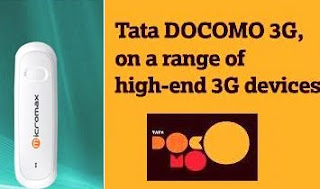
How to connect Tata Docomo GSM with Micromax Data Card


Micromax wireless data with Tata Docomo GSM sim card connection
Now a days there are so everyone familiar with internet and computer. Because computer and internet are used in many official, household and other works. And we can say it the tech-world. Mostly we connect internet through Broadband with LAN (local area networks), but now there are many method to connect to internet like- Via Mobile, via data card, via modems and others. So today I tell you about how to setup Micromax 3G net setter or data card with Tata docomo GSM SIM card.

So let’s start to setup this.

First of all put your Tata Docomo GSM SIM card in Micromax Data card.

And activate any Tata Docomo internet GPRS pack for your Sim card. Then attach the data card with your computer. And check your networks.

After all the above just create a new Network connection in your computer. But if you don’t know about how to add a new network connection in computer then below I giving the method check this:-


1. First of all go to Control Panel by click all programs tab in computer.
2. Now click to Network Connection folder in this.
3. Then click to Create New Connection.
4. After that click to Next Button.
5. Then click to Connect to the internet point and then click to next.
6. Now click to Setup my Connection Manually and click the next.
7. Now click to Connection using a dial-up modem and click the next button.
8. Now Write ISP Name “tata docomo” and click to forward.
9. Then Write “*99#” code on Phone Number and click to Next.
10. Now fill your user Name and Password, it is not compulsory and click to next.
11. Then at last click to “Add Shortcut to this connection to my desktop” there and click to Finish.

Now a tata docomo internet connection is created. Therefore we setup the tata docomo setting with computer.

1. Now again go to control panel in your computer. And open phone and modem option.
2. And then go to dialing rules and click to new.
3. Now in the country/religion fill their India and the area code and then ok.
4. Now go to same dialog box in modem folder and select modem option and click on this.
5. Now click to properties and then click to advance tab in it.
6. Now fill the command “AT+CGDCONT=1,"IP","TATA.DOCOMO.INTERNET” in it and click to ok.
7. Now all things are complete, so click the network icon in your desktop. And click to dial.
8. Now your internet will be connected with the Tata docomo GSM Sim card.

Now enjoy using internet with great speed of Tata Docomo.

Minggu, 08 Januari 2012

Tempat Mencari Serial Number Software Yang Paling Mantab!

 
Kali ini lughot akan memberitahu sebuah situs yang lumayan keren menurut. Mungkin sebagian sobat lughot sudah banyak yang mengenal situs ini. Situs ini menyediakan berbagai serial number software-software keren dan kebanyakan serial tersebut dapat berjalan dengan baik setelah lughot mencobanya. Bagi sobat yang belum tahu dan ingin mendapatkan sebuah serial number software berbayar yang

Jumat, 23 Desember 2011

Daftar Situs Berbahaya Yang Harus Dihindari

 
Bagi sobat yang sering berselancar di dunia maya, hendaknya berhati hati untuk tidak membuka alamat situs yang tidak jelas, karena beresiko mengandung virus yang dapat menjangkiti komputer/HP anda. Setelah beberapa waktu lalu lughot menulis artikel tentang Sudah Amankah Anda Ketika Online Internet? Berikut ini daftar 30 situs termasuk kategori situs berbahaya yang harus sobat hindari :1.